The big list of things you can do with DisplayBuddy
Explore all the features and capabilities of DisplayBuddy - your ultimate display control app for Mac
DisplayBuddy is packed with features to help you get the most out of your external displays. Here's a comprehensive guide to everything you can do:
Display Controls
Brightness Control
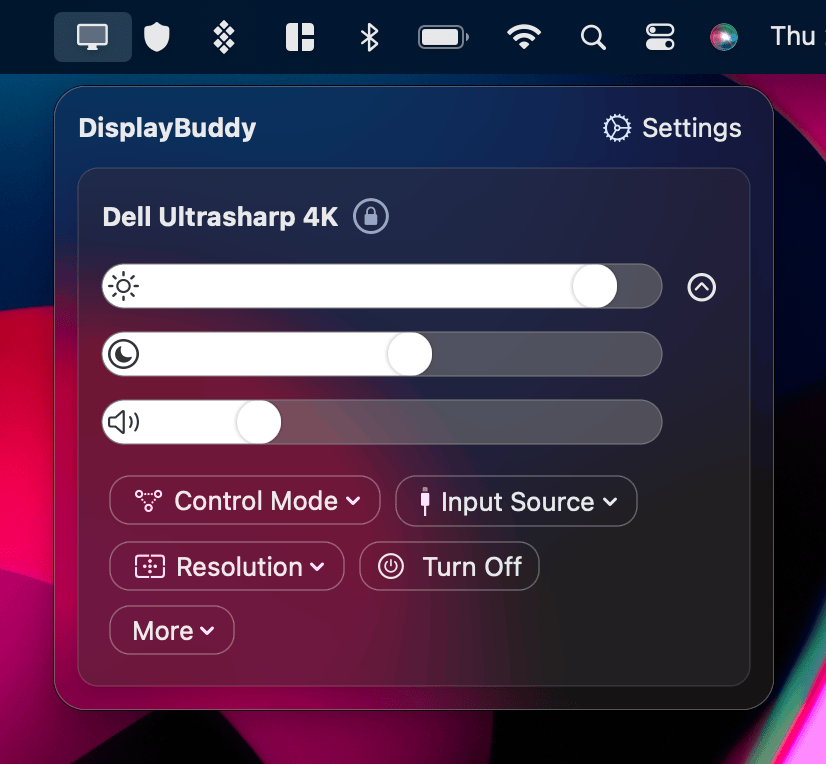
Adjust the actual hardware brightness of your external monitors - not a software overlay. This is the same brightness control you'd access through your monitor's physical buttons, but controlled directly from your Mac.
Contrast Control
Fine-tune the contrast ratio of your displays for better visibility and reduced eye strain.
Volume Control
Control the volume of monitors with built-in speakers directly from your Mac. No need to reach for your monitor's buttons or remote.
Keyboard Integration
Brightness Keys
Use your keyboard's brightness keys (F1/F2 on Mac keyboards) to control external display brightness. Works with:
- MacBook built-in keyboard
- Apple Magic Keyboard
- Third-party keyboards like Logitech MX Keys
Volume Keys
Similarly, use your keyboard's volume keys to control monitor speakers.
Sync Features
Brightness Sync
Keep multiple displays at the same brightness level automatically. When you adjust one, others follow.
Follow Mode
Set one display to follow another's brightness changes automatically.
Presets
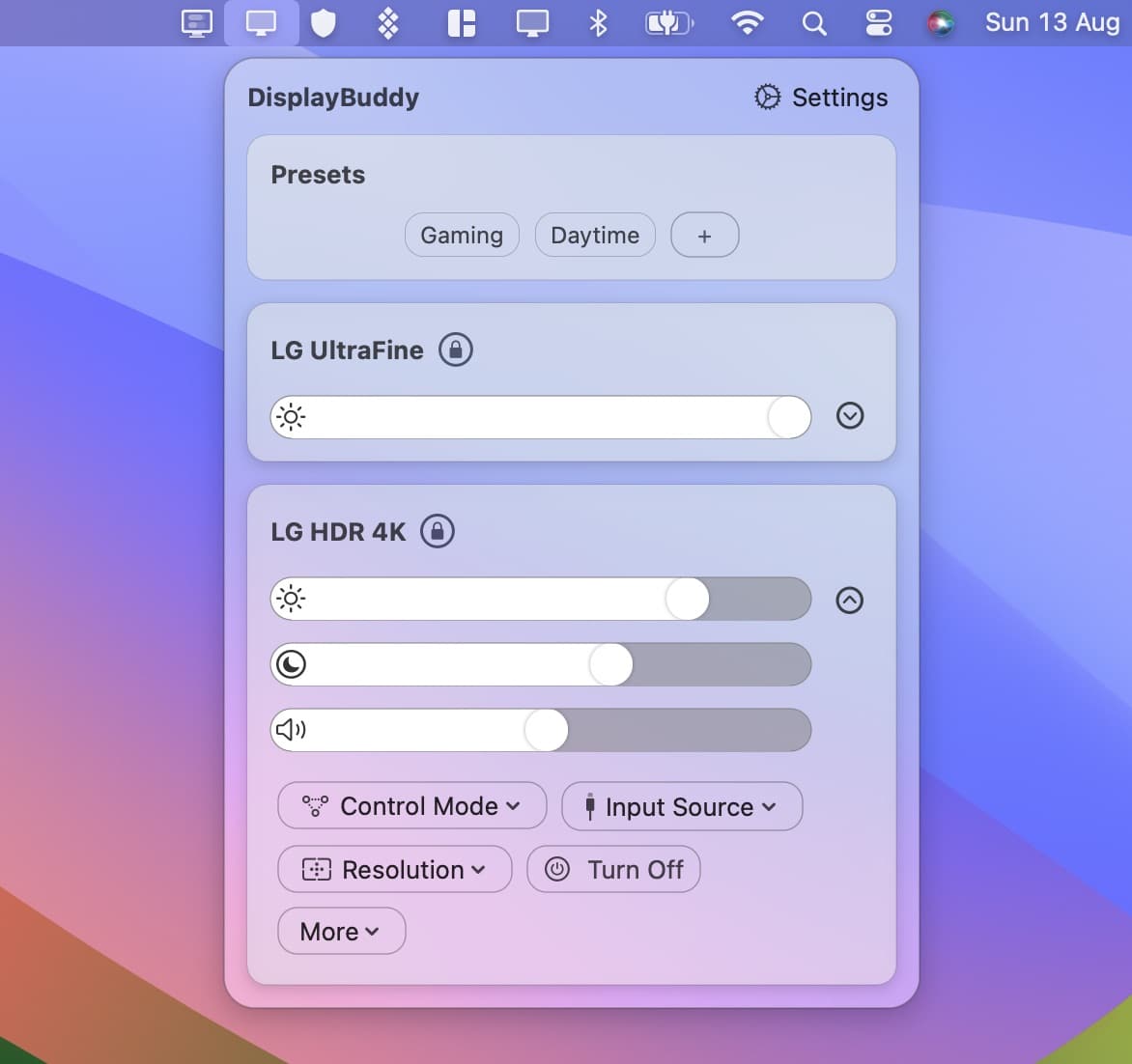
Save your preferred display settings and restore them with a single click:
- Multiple preset slots
- Quick access from the menu bar
- Keyboard shortcuts for instant switching
Menu Bar Integration
- Quick access to all controls from the menu bar
- Compact view for essential controls
- Expanded view for full control
Supported Displays
DisplayBuddy works with most external monitors that support DDC/CI (Display Data Channel Command Interface), including:
- Dell
- LG
- Samsung
- BenQ
- ASUS
- Acer
- HP
- Lenovo
- And many more...
Apple Silicon Support
Full native support for:
- M1, M1 Pro, M1 Max, M1 Ultra
- M2, M2 Pro, M2 Max, M2 Ultra
- M3, M3 Pro, M3 Max
- M4, M4 Pro, M4 Max
- M5, M5 Pro, M5 Max
Smart TV Support
Control Samsung Smart TVs and Smart Monitors over Wi-Fi with dedicated integration.
Related Guides
- How to control external monitor brightness on Mac — Mac-specific DDC/CI deep dive, M1 HDMI workaround, HDR caveat, and brand-specific quirks.
- Use your Mac brightness keys on any external monitor
DisplayBuddy
for macOS 10.13+
Take control of your monitors
Control brightness, contrast, volume, and much more.
Buy NowLifetime license • 7-day refund on full-price purchases