Take Control of Your Screen Brightness and Protect Your Eyes
Learn how proper screen brightness management can reduce eye strain and improve comfort
In our modern world, we spend countless hours staring at screens. Whether it's for work, entertainment, or staying connected, our eyes are constantly exposed to digital displays. Proper brightness management is crucial for eye health.
The Problem: Eye Strain
Digital eye strain (also called computer vision syndrome) affects 50-90% of people who work at computers. Symptoms include:
- Headaches
- Blurred vision
- Dry eyes
- Neck and shoulder pain
- Difficulty focusing
One major contributor? Improper screen brightness.
The Solution: Match Your Environment
The key to reducing eye strain is matching your screen brightness to your environment:
Bright Rooms
- Increase screen brightness to reduce contrast with ambient light
- This prevents your eyes from constantly adjusting between the bright room and dark screen
Dark Rooms
- Decrease screen brightness significantly
- A bright screen in a dark room forces your pupils to constantly adjust
- This causes faster eye fatigue
Natural Light Changes
- As daylight changes throughout the day, adjust your brightness accordingly
- Morning and evening typically need lower brightness
- Midday often needs higher brightness
How DisplayBuddy Helps
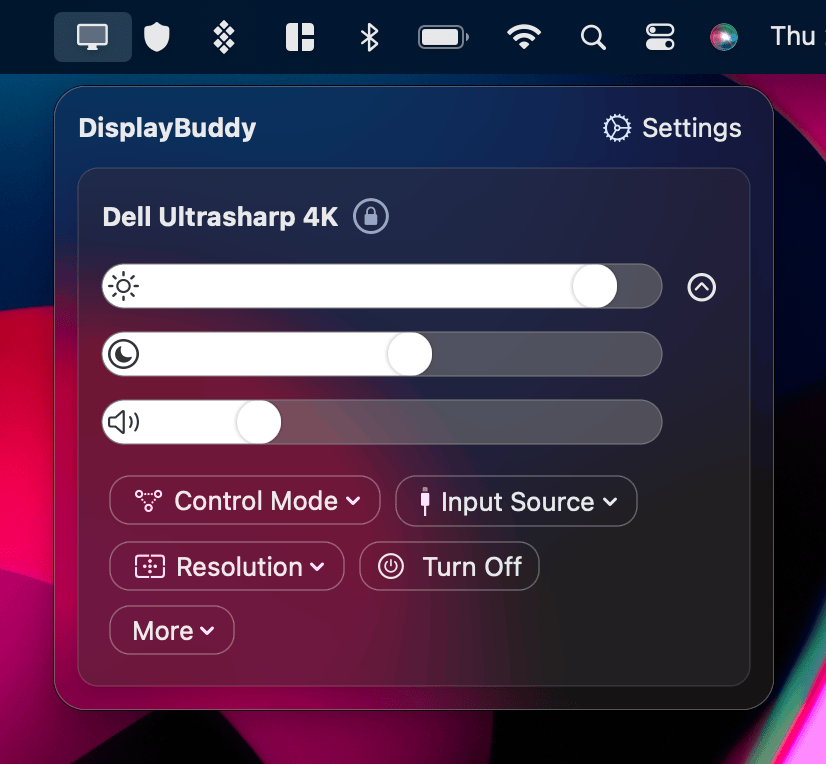
DisplayBuddy makes brightness management effortless:
- Quick Adjustments: Use keyboard brightness keys to instantly adjust
- Presets: Save different brightness levels for different times of day
- Sync: Keep multiple monitors at consistent brightness
- Menu Bar Access: Adjust brightness without interrupting your workflow
Tips for Healthy Screen Use
- Follow the 20-20-20 Rule: Every 20 minutes, look at something 20 feet away for 20 seconds
- Position screens properly: Below eye level, at arm's length
- Reduce glare: Position screens perpendicular to windows
- Use appropriate contrast: Higher contrast can reduce eye effort
- Take breaks: Regular breaks from screen time are essential
Conclusion
Managing screen brightness isn't just about comfort—it's about long-term eye health. With tools like DisplayBuddy, you can easily maintain optimal brightness throughout the day, reducing strain and protecting your vision.
Your eyes will thank you.
DisplayBuddy
for macOS 10.13+
Take control of your monitors
Control brightness, contrast, volume, and much more.
Buy NowLifetime license • 7-day refund on full-price purchases